Airdrops are one of crypto's most powerful distribution mechanisms — and the most abused. Legitimate protocols use airdrops to reward early users and bootstrap liquidity. Attackers exploit the same mechanic to drain wallets at scale. The psychology is simple: free money overrides caution.
Fake airdrops are now the single largest attack vector by volume. They require minimal technical skill, scale across social platforms effortlessly, and exploit a fundamental human impulse. This guide breaks down exactly how these attacks work and how AIScamHunter stops them.
How Fake Airdrop Scams Work
Every airdrop scam follows the same fundamental playbook. The sophistication varies — from crude DM blasts to pixel-perfect clones of legitimate protocol sites — but the attack flow is always the same: lure, connect, sign, drain.
-
The Lure
The attacker distributes a "claim your airdrop" link. Delivery channels include X (Twitter) posts, Discord announcements, Telegram groups, YouTube comments, and even compromised verified accounts. The link points to a phishing site designed to look like the real protocol.
Social engineering -
Wallet Connection
The phishing site prompts you to "Connect Wallet." This is where wallet injection often occurs — the site may inject a fake wallet provider or prompt you to enter your seed phrase on a fake import screen. If you type your seed phrase here, your entire wallet is compromised immediately.
Wallet injection risk -
The Signature Request
After connecting, the site asks you to sign a "claim" transaction. The payload is actually an unlimited token approval (setApprovalForAll or approve(uint256.max)). In many cases, the signing request is blind — you cannot see what you are actually approving without specialized tools.
Malicious signing payload -
The Drain
The moment you sign, the drainer contract executes. It transfers all approved tokens, NFTs, and native assets to attacker-controlled wallets. The entire drain takes under 12 seconds. Funds are immediately routed through mixers and cross-chain bridges.
Irreversible — funds gone
10 Red Flags of a Fake Airdrop
Spot These Signals Before You Click
-
1. Unverified Domain
The URL does not match the protocol's official domain exactly. Extra subdomains, hyphens, or unusual TLDs (.xyz, .fun, .app) are common indicators. Check for homograph attacks using Unicode characters.
-
2. Countdown Timer
"Claim within 2:34 or lose your tokens" — artificial urgency is the most reliable social engineering signal. Legitimate airdrops have generous claim windows measured in weeks, not minutes.
-
3. Seed Phrase Request
NO legitimate airdrop EVER asks for your seed phrase. If a site asks you to "import wallet" or "verify holdings" by entering your 12 or 24 words, it is 100% a scam. Close the tab immediately.
-
4. DM or Comment Link
Legitimate projects announce airdrops on official channels, not in DMs, YouTube comments, or Telegram group messages. If you received the link from someone you do not know personally, treat it as hostile.
-
5. Too-Good-to-Be-True Amounts
"Claim 50,000 UNI ($250,000)" — if the airdrop amount seems wildly disproportionate to your actual interaction with the protocol, it is bait. Check the official airdrop announcement for actual eligibility criteria.
Additional Warning Signs
-
6. Unexpected Gas Fee Demand
Some scams ask you to pay a "gas fee" or "activation fee" to claim. No legitimate airdrop requires you to send ETH or BNB to an address before claiming.
-
7. No Verification on Protocol Site
Always check the protocol's official Twitter, Discord, or documentation for the airdrop announcement. If it is not announced officially, it does not exist.
-
8. Unusual Signing Request
If your wallet shows an "approve unlimited" or "setApprovalForAll" request when you thought you were just claiming tokens, stop. This is the drain payload.
-
9. Poor Grammar or Inconsistent Branding
Many phishing sites are mass-produced with copied content. Typos, inconsistent logos, and mismatched fonts are common. Though top-tier clones are pixel-perfect.
-
10. AIScamHunter Flagging It
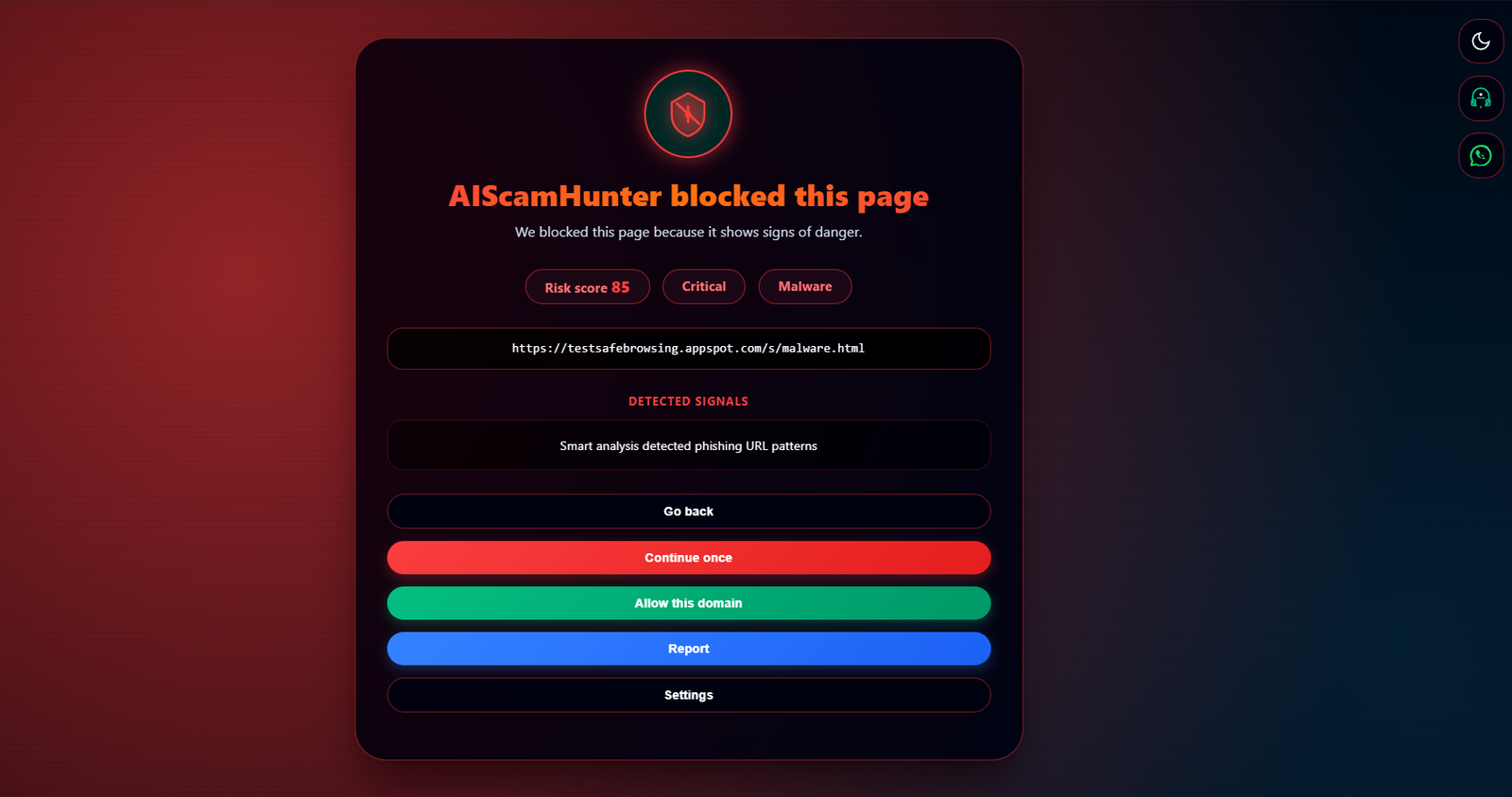
If AIScamHunter shows a warning or blocks the page, trust the analysis. The Smart Analysis engine evaluates domain reputation, wallet injection attempts, signing payloads, and brand impersonation in real time.
How AIScamHunter Detects Airdrop Scams
AIScamHunter's detection goes beyond static blocklists. Its 10-category Smart Analysis engine evaluates every page dynamically — catching new scam domains within minutes of activation, not days.
Airdrop-Specific Detection Capabilities
-
Wallet Injection Blocking
Fake airdrop sites frequently inject malicious wallet providers to capture seed phrases. AIScamHunter detects and blocks unauthorized wallet injection attempts in real time, preventing seed phrase theft at the provider level.
-
Malicious Signing Detection
When a claim page requests a signature, AIScamHunter analyzes the payload. Unlimited approvals on known drainer contracts trigger an immediate warning with a detailed breakdown of what you are actually signing.
-
Brand Impersonation Detection
298 crypto brands are cross-referenced in real time. Homograph attacks, subdomain spoofing, and TLD variants are caught instantly — even on newly registered domains with zero history.
-
Contextual Risk Scoring
Every page is scored across 10 categories. Countdown timers, urgency language, fake airdrop claims, and suspicious domain patterns all contribute to the composite score. Sites ≥45 trigger warnings. Sites ≥85 are blocked.
Your Airdrop Safety Checklist
Before You Claim Any Airdrop
Follow this checklist every single time. It takes 60 seconds and protects you from the most common attack in crypto.
-
AIScamHunter is active and showing green. If the extension icon is red or amber, stop immediately. Do not proceed until you understand why it flagged the site.
-
The airdrop is announced on the official protocol channels. Check the project's verified X/Twitter, Discord, and documentation. If the airdrop is not mentioned there, it does not exist.
-
The URL matches the official domain exactly. No extra subdomains, no hyphens, no Unicode characters. Type the URL manually or use a bookmark — never click links from DMs or social media.
-
No seed phrase is requested. Ever. For any reason. No legitimate airdrop requires your seed phrase. If asked, it is a scam. Period.
-
Read the signing request carefully. If you see "approve unlimited" or "setApprovalForAll" when you expected a simple claim, cancel. That is the drain payload.
-
No urgency exists. If there is a countdown timer, close the tab. Legitimate airdrops have claim windows of days or weeks, not minutes.
-
Using a limited-funds wallet. Never connect your main holdings wallet to claim an airdrop. Use a dedicated hot wallet with only the assets you need for the interaction.
Stay Protected. Stay Skeptical.
Free tokens are never free. Every "claim" link is a potential drain. AIScamHunter blocks fake airdrops, wallet drainers, and malicious signing requests in real time — before you lose a single token. Free, open source, privacy-first.
Install AIScamHunter — Free English
  French
  Italian
  Spanish
  German